December 28, 2009
Latest Palm Pre Update | WebOs 1.3.5 | Sprint

palm-pre-sprint

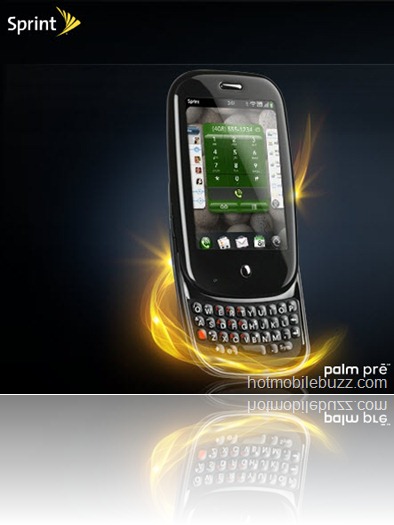
The Pixi was updates early this month and the 1.3.5 update for the Pre was rumored at the same time. Sprint has now announced that the 1.3.5 update for the Pre is coming today.
 
The new update will improve battery life for the Pre in marginal coverage areas and will allow the device to play video and audio sent via MMS with a QCELP fix. The update will also allow Google Maps or Sprint Nav to be launched by tapping an address in contacts. Downloading over 2G connections is also supported with a minimized package.The carrier mentions some of the new things that WebOS 1.3.5 (build 194) brings, and these include: battery life improvement (“when in marginal coverage areas”); QCELP (Qualcomm PureVoice) fix, enabling audio for video sent via MMS; you can now launch Sprint Nav or Google Maps by tapping an address from contacts; downloads over 2G connections are possible.
Plam pre update HERE
Officail New Here


palm pre, palm pre update, sprint palm pre, webos update, palm webos update, palm pre updates, palm pre software, new palm update, webos download, pre webos,
Read more
December 26, 2009
Software Update For Blackberry Storm Released | Verizon Wireless

update for Blackberry Storm 9530storm update storm
Verizon had released software upgrade for RIM Users with Blackberry Storm.  Official Note :-
Verizon Wireless is pleased to announce new software enhancements for your BlackBerry® Storm™ smartphone. The Research In Motion® (RIM®)
update (5.0.0.328 version) includes many software updates and enhancements that will elevate your experience with the BlackBerry Storm.
Features Of Upgrade
  •   A faster, more accurate and more natural text input experience.
      This includes word completion (enabled right out of the box),
      a virtual QWERTY keyboard in portrait view, and enhanced
      sensitivity when editing, copying, and pasting.

  • −The ability to enable Auto Correction as opposed to Word
      Completion in landscape view. Your mistakes will be corrected for you.

  • −The ability to send an email quickly by pressing the Send button;
       save your changes in a calendar appointment or contact by quickly
    pressing the Save button; and access Web pages by quickly
    pressing the Go button.

  • − Adapted to emulate the chat windows you’re familiar with in
    popular desktop IM applications. The new Messages list interface
    threads incoming and outgoing SMS communications as a
    conversation history, with support for emoticons and contact
    information from your address book—including pictures.
  • − The flick of your finger creates momentum, moving you quickly
    through messages, pictures, and more in a single swipe.
  • -  Launches camera faster
    − Quicker image capture
    − Launches applications faster
    − Rotates faster between portrait and landscape views
    − Improved Web browsing speeds
  •   Ability to forward calendar appointments
      Flag messages for follow-up
      Ability to view attachments in a meeting request and/or
    calendar entry
      Manage mail folders, including adding, moving, renaming,
    and deleting—similar to a desktop experience
Sign into Verizon User Area and get update Here
Blackberry Update Device Pin Here
Blackberry Update for PC Here
Blackberry Update for Mac Here

verizon blackberry storm, verizon storm, blackberry storm 2, verizon blackberry update, storm update verizon, storm software update, blackberry update storm, blackberry update, blackberry storm software, blackberry software update, verizon storm software, update blackberry software, blackberry storm software
Read more
Bell Claims better Network Than Rogers Officially

image
 bell rogers
Its now Bell’s turn claiming better and larger coverage than its rival Rogers. Bell officially stated and kept a coverage map on it website earlier. you can find it below.
The new network covers urban as well as rural locations, so you're covered from the densest cities to the most remote locations across Canada. It extends to more than 1.2 million square kilometers, serving 93% of the population.
Bell has invested over $500 million to build the best quality network possible for our customers.
Bell also uses the newest technologies in speech analysis and synthesis systems. Plus, the New Network uses sophisticated antennas that provide a wide coverage radius from cell sites, ensuring great call clarity.
Super fast phones and Turbo Sticks let you download files and attachments, surf the Web, and run all your favorite apps on Canada's fastest network.
bell network
The above Brown dots are the Bell Coverage points as Published.
Well wait and see for the reply from Rogers Network.
Bell Network Map Here
Bell official webpage Here
Rogers, bell network coverage, bell mobility, bell vs Rogers, bell canada, rogers canada, bell network vs rogers network, hspa+. hspa,
Read more
Blackberry Bold Os 5.0.0.423 Download Now Available

 bellbold9700 12-24-2009_1-52-07_PM
Now official build of Blackberry Os 5.0.0.423 is available . Bell mobility had released this intact with Blackberry. Grab it  let us know in the comments if you find any fixes or bugs and let us all hope it improves some battery life.
Get Blackberry Bold 9700 Os Here
blackberry os 5.0, blackberry bold 9700, bold 9700 software, download, bell mobility blackberry os release
Read more
iSofa Remote Control Mac Using iPhone | iPod

isofa isofaip isofaitunes
iSofa is a free software that lets you control your Mac from your iPhone / iPod Touch :
• Keynote Remote
• iTunes Remote
• VLC Remote
• DVD Player Remote
• QuickTime Remote
• FrontRow Remote
• iTunes Alarm Clock Remote
• Browser / Launcher
• Screen wake up
• Screen sleep
• Screensaver launcher
iSofa is a web application, it uses the Apache web server of your Mac (already installed in your Mac).
You will access iSofa using Safari from your iPhone / iPod Touch by WiFi, EDGE with iPhone and 3G with iPhone 3G.
Once iSofa is installed, an administration page (http://127.0.0.1:9999/admin/) is available from your Mac. This page give you the address to use to access iSofa from your iPhone. You can also change the background, change the port number, set a password to limit the access, etc.

Requirements

• Mac OS Tiger or Leopard
• iPhone / iPhone 3G / iPod Touch (no need to be jailbroken)
    Download isofa 2.1 HERE

    isofa tv, isofa mac, iphone isofa, apple remote control, mac remote software,
    remote for mac, remote desktop mac, mac apps, iphone remote app, iphone remote
    Read more
    Apple Patents Over Multi touch Tactile Keyboard | iSlate to be Apple’s Tablet ?

    apple-tactile-mt-keyboard 
    Using an "articulating frame," the surface of such a device would create physical bumps or dots for the user to feel when it is in keyboard mode. Those surface features would retract and disappear when the device is not being used to type. It is detailed in an application entitled "Keystroke Tactility Arrangement on a Smooth Touch Surface." It is similar to an application first filed back in 2007.
    The patent notes that pointing and typing require very different needs: Pointing is best on a smooth surface with little friction, while typing is preferred on keys with edges that fingertips can feel. Simply putting Braille-like dots on the 'F' and 'J' keys, as is on most physical keyboards, is not enough, because it does not address alignment issues with outside keys.
    Conversely, while placing dots on every single key on a surface would help a user find their location, it would take away the smooth surface necessary for touch controls that users are accustomed to on a glass screen like the iPhone.
    The patent aims to offer the best of both worlds with a new device that could dynamically change its surface.
    patent-091224-3
    Preferably, each key edge comprises one to four distinct bars or Braille-like dots," the application reads. "When constructed in conjunction with a capacitive multi-touch surface, the key edge ridges should separated to accommodate the routing of the drive electrodes, which may take the form of rows, columns, or other configurations."
    The system would also intelligently determine when the user wishes to type, and when they intend to use the screen as a pointing device.
    "Specifically, the recognition software commands lowering of the frame when lateral sliding gestures or mouse clicking activity chords are detected on the surface," the application states. Alternatively, when homing chords (i.e., placing the fingers on the home row) or asynchronous touches (typing activity) is detected on the surface, the recognition software commands raising of the frame."
    Apple filed the Application on Aug. 28, 2009. The invention is credited to Wayne Carl Westerman of San Francisco, Calif.
    Another Apple patent application revealed this week deals with a multi-touch controller that uses transparent touch sensors and does not require an opaque surface. The description is included in a patent application entitled "Multipoint Touch Surface Controller."
    "While virtually all commercially available touch screen based systems available today provide single point detection only and have limited resolution and speed, other products available today are able to detect multiple touch points," the application reads. "Unfortunately, these products only work on opaque surfaces because of the circuitry that must be placed behind the electrode structure."
    The described invention would include drive electronics that stimulate the multi-touch sensor and sensing circuits for reading the sensor in a single integrated package. This is said to be different from some previous multi-touch technology, which has been limited in terms of detectable points due to the size of the detection circuitry.
    another patent application showed off how a multi-touch tablet interface might work, with a surface that could detect ten individual fingers, along with resting palms, and identify each of them separately. The hand-based system was said to allow "unprecedented integration of typing, resting, pointing, scrolling, 3D manipulation, and handwriting into a versatile, ergonomic computer input device."
    Apple is said to have been at work on its rumored tablet device device for many years and has been the number one focus of CEO Steve Jobs since returning to his company this summer.
    iSlate
    islate-apple
    There’s a lot of islate-related domain names with different TLDs that Apple most definitely does not own (islate.org, islate.net, islate.be, islate.nl, islate.es, and so on) but I did find a couple of interesting things trolling whois servers.
    A search for islate.co.uk lists Mark Monitor as the owner, just like islate.com. This could be meaningless, but we know for sure Apple works with Mark Monitor for other domain names and the United Kingdom is a key market for the company.
    Unfortunately, the whois server for German TLDs (whois.denic.de) is currently down, so I can’t look up who secured islate.de at this point.
    he iSlate.com domain was originally registered in October 2004 by a company called Eurobox Ltd. It later changed hands to Data Docket, Inc. in 2006. In 2007, however, the domain was transferred to registrar MarkMonitor.com. MarkMonitor handles domain name registrations and trademark protections for many companies, including Apple. As is typical, however, the name of the actual registrant was initially hidden to obscure the identify of the actual owner. Up until this point, one could still easily dismiss all this as a simple coincidence.
    However, after further investigation of the domain name registrant history, it seems Apple's name was temporarily exposed as the actual owner of "iSlate.com" for several weeks in late 2007. It was changed back within a few weeks, but MacRumors has found the historic record proving Apple ownership of the iSlate.com domain
    Source:Appleinsd
    islate apple, new apple tablet, apple touch tablet, apple tablet 2009, the apple tablet,
    ipod tablet, apple tablet pc, apple tablet mac
    Read more